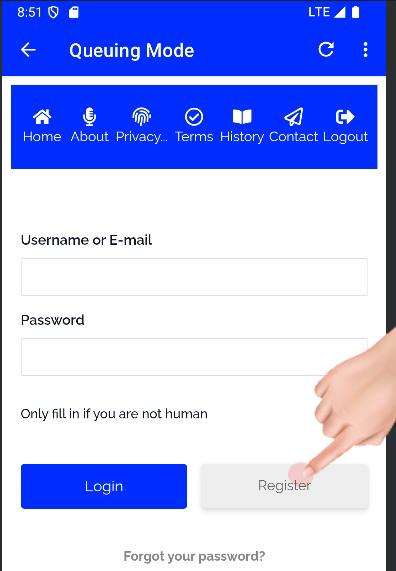
Click Register Button
Tap the register button to proceed to the registration page.
Tap the register button to proceed to the registration page.
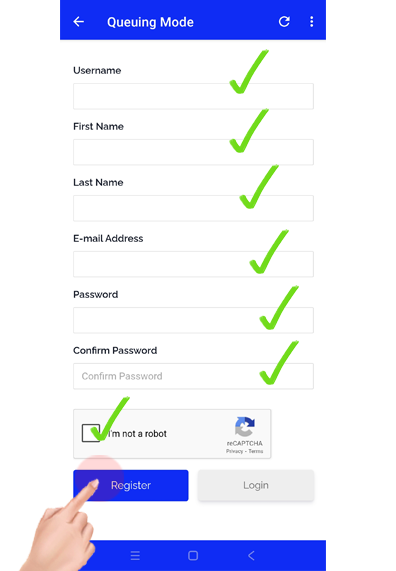
As shown in the screenshot, complete the registration form by entering your details. Filling out the form is simple—enter your desired username, first and last name, email address, and password.
Don't forget to click and verify the reCAPTCHA.
Note:
Your password must be at least eight (8) characters long and include at least one (1) lowercase letter, one (1) uppercase letter, and one (1) number.
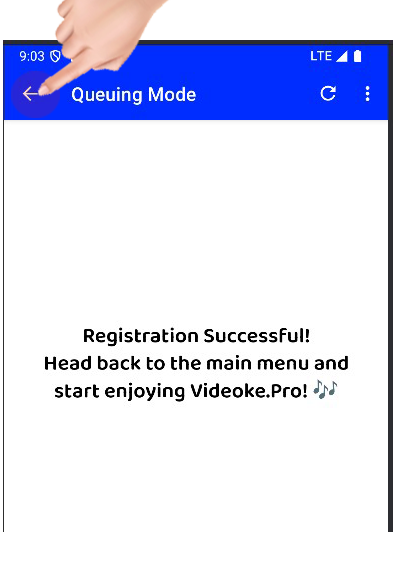
After successfully registering on Videoke Pro, click the back arrow to return to the main menu. If you're using a desktop, simply click the Videoke Pro button to open the app and start enjoying its features.
To make the most of Videoke Pro, we recommend getting your own YouTube API key. The process is simple—let us guide you step by step by following these instructions!